

Recent Posts
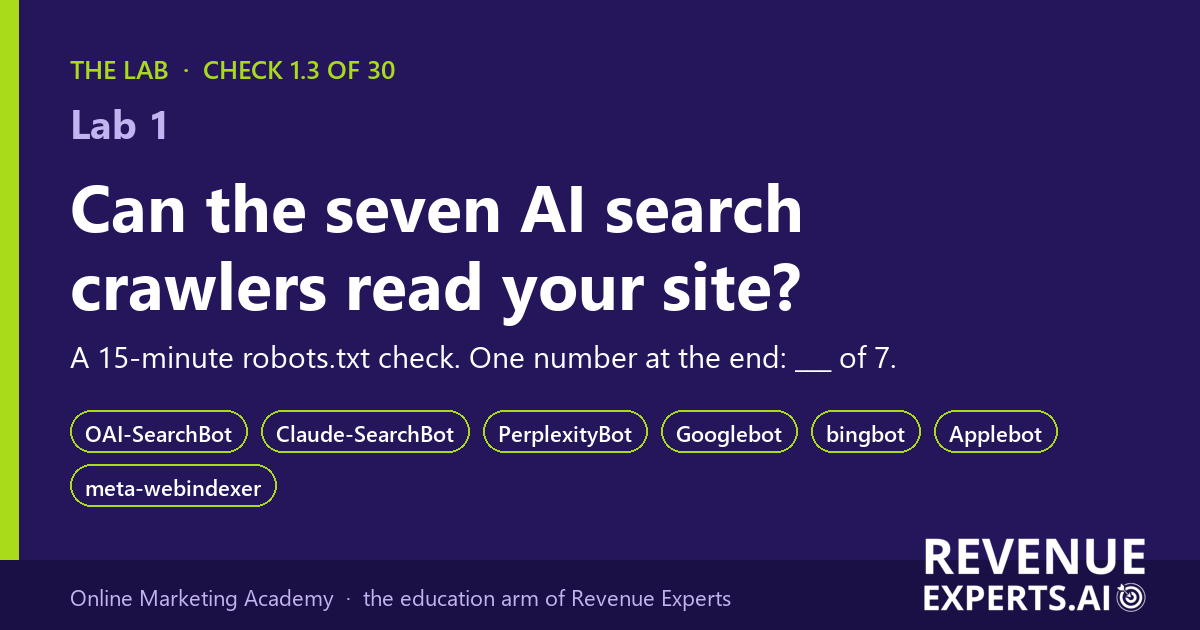
Lab 1: Can the seven AI search crawlers read your site? A 15-minute robots.txt check
By Elizabeta Kuzevska, Co-Founder, Revenue Experts. Reading time about 7 minutes. Doing it for about 15 minutes.
Short answer. Seven named crawlers collect the pages that ChatGPT search, Claude, Perplexity, Google, Bing, Siri and Meta AI use in their answers. A single line in your robots.txt file can turn any of them away, and nobody will tell you. This Lab shows you how to read that file yourself and come out with one number: how many of the seven your site lets in, out of 7.
Subscribe to The Revenue Signal for one short, practical email a week on what changed in AI search and what to do about it: https://revenueexperts.beehiiv.com/?utm_source=academy&utm_medium=lab&utm_campaign=lab-1-robots
The scene
Imagine a Monday morning. The head of marketing at a 200-person manufacturer has just asked ChatGPT the question her buyers ask, and the answer named three competitors and not her company. She forwards the screenshot to the web developer. The reply comes back in ten minutes: “We never blocked anything. The site is open.”
Both of them are telling the truth as they know it. The robots.txt file on that site was written in 2019 by an agency that no longer exists. In 2024 a security plugin added two lines to it. Nobody has opened the file since, because nothing on the website looked broken. A human visitor sees every page. A crawler sees the two lines and leaves.
This is not a story about blame. It is a story about a file nobody owns.
What robots.txt is, in one paragraph
Every website can carry a small text file at the address yoursite.com/robots.txt. It is a list of instructions to crawlers: which parts of the site they may read and which they should leave alone. Crawlers from Google, OpenAI, Anthropic, Perplexity, Apple and Meta all say in their own documentation that they read this file and follow it [1][2][3][4][6][7]. The file is public. Anyone can open it in a browser, including you, right now.
The seven crawlers that matter for AI answers
Each company runs more than one robot. The important split is between robots that collect pages for training a model and robots that collect pages for search answers. Blocking a training robot does not remove you from answers. Blocking a search robot does. OpenAI says this plainly: a site that is opted out of OAI-SearchBot “will not be shown in ChatGPT search answers”, while GPTBot is only about training [1]. Anthropic and Perplexity draw the same line between their training robots and their search robots [2][3].
These are the seven names to look for. They are the same seven that LLM Audit Pro scores in its robots.txt check (check 1.3 of 30, worth 8 of 100 points) [8].
| Crawler name in robots.txt | Who runs it | What it feeds | Source |
| OAI-SearchBot | OpenAI | ChatGPT search answers | [1] |
| Claude-SearchBot | Anthropic | Claude’s web search results | [2] |
| PerplexityBot | Perplexity | Perplexity search results | [3] |
| Googlebot | Google Search, including its AI features | [4] | |
| bingbot | Microsoft | Bing, and the search behind Copilot | [5] |
| Applebot | Apple | Siri, Spotlight and Safari search | [6] |
| meta-webindexer | Meta | Meta AI answers | [7] |
Note the names that are not on the list: GPTBot, ClaudeBot and Meta-ExternalAgent are training robots [1][2][7]. Whether you allow those is a separate decision about your content and AI training. It is not the decision that puts you in or out of the answers.
The number from our own work
In every study we publish, we run a site access check before we count anything, because a site that crawlers cannot read cannot be cited, whatever its content says. In our retail security study, published 13 October 2026, the studied company’s home page and its robots.txt file returned a security challenge page instead of content on 26 and 27 September. On 9 October both loaded normally [9]. Nobody at the company had changed the website in between. Something in front of the website had. That is the kind of door you are about to check on your own site.
The check: 15 minutes, six steps
You need a browser and the worksheet at the end of this post. No login, no tool, no developer.
- Open the file. Type your website address followed by /robots.txt into the browser address bar, for example https://www.yourcompany.com/robots.txt. Press Enter.
- Read what came back. Three things can happen. (a) A plain text file with lines like User-agent and Disallow: go to step 3. (b) A “page not found” message: you have no robots.txt, so nothing is blocked by this file; write 7 of 7 on the worksheet and skip to step 6, because the second door still applies. (c) A page that says “Just a moment”, “Checking your browser”, or shows a checkbox or a puzzle: that is a security challenge. A crawler cannot pass it. Write “challenge” on the worksheet, score 0 of 7, and go straight to “What to do” below.
- Find each name. Press Ctrl+F (Cmd+F on a Mac) and search for each of the seven names in the table, one at a time. Tick “named” on the worksheet if the name appears after the words User-agent:.
- Read the rule under each name. Under a User-agent line, look at the Disallow lines that follow, until the next User-agent line. “Disallow: /” on its own line means the whole site is closed to that crawler: tick “blocked”. “Disallow: /wp-admin/” or another folder name closes only that folder, which is normal. An empty “Disallow:” or an “Allow: /” means open: tick “allowed”.
- Check the catch-all rule. Crawlers that are not named fall under the block that starts “User-agent: *”. If that block says “Disallow: /”, every crawler without its own named block is shut out. Apply that result to every row you did not tick in step 3.
- Test the second door. Open the same address in a private or incognito window. If the file loads instantly as plain text, tick “loads”. If a challenge page appears, the crawler meets it too, even when the file itself says allow. Perplexity’s own documentation tells site owners to add its crawlers to the firewall’s allow list for exactly this reason [3].
Your number is the count of rows ticked “allowed” with “loads” also ticked. Write it as “N of 7” and date it.
What a good result looks like
- 7 of 7, and the file loads in a private window. You are done with this check. Keep the dated worksheet; it is your evidence next time someone asks.
- A short file. Most sites need only a catch-all block that closes the admin folder and nothing else. Length is not a problem; blocks are.
- No security challenge on the file. The file is the first thing a crawler asks for. If it meets a challenge there, it never gets to your pages.
The wrong reading to avoid. “We allow GPTBot, so ChatGPT can find us.” GPTBot is the training robot. OAI-SearchBot is the search robot, and it has its own line [1]. A file can allow one and block the other.
What to do if the number is below 7
- A named crawler is blocked by its own block: delete that block, or change its “Disallow: /” to an empty “Disallow:”. Whoever manages the website does this in a minute.
- The catch-all blocks everything: add a block for each of the seven names above the catch-all, with “Allow: /”, or open the catch-all. Ask why it was closed first. Sometimes a site under construction was closed and never reopened.
- A challenge page: this is not in robots.txt. It comes from a security service in front of the website. Some hosting and security tools have a one-click setting that blocks AI crawlers as a group. Ask whoever manages that service to allow the seven search crawlers by name and by their published IP addresses; OpenAI, Perplexity and Apple publish those lists [1][3][6].
After a change, give it time. OpenAI and Perplexity both say it can take about 24 hours for their systems to read the new file [1][3].
The honest limit
robots.txt is a request, not a lock. A well-behaved crawler follows it, and the seven above say they do. But a firewall can still block a crawler that the file allows, and only your server logs show what actually arrived. That is why 2 of the 8 points for this check in LLM Audit Pro can only be scored from server logs, and a perfect public scan shows 98 of 100 [8]. Your worksheet number is the public half of the answer. The logs are the other half.
Where this fits
This is check 1.3 of the 30 checks in LLM Audit Pro, in the category Retrieval Eligibility and Access. The $55 report runs all 30 on a page of your site and shows what to fix, this check included: https://llmauditpro.com/?utm_source=academy&utm_medium=lab&utm_campaign=lab-1-robots
If your team should own this work rather than rent it, the robots.txt and crawler lessons are in the AI Search Visibility Mastery course (40 lessons, $97): https://onlinemarketingacademy.ai/courses/
Subscribe to The Revenue Signal for one practical email a week: https://revenueexperts.beehiiv.com/?utm_source=academy&utm_medium=lab&utm_campaign=lab-1-robots
Next in the Lab: does your site show AI a challenge page instead of content? The three-request test.
P.S. If your robots.txt was last edited by an agency that no longer exists, you are not alone. It is the most common file nobody owns.
Frequently asked questions
Do I need a robots.txt file at all? No. With no file, nothing is blocked by it. Most sites keep a short one to close the admin area.
Does blocking GPTBot hurt my visibility in ChatGPT? Not in search answers, according to OpenAI’s own documentation. OAI-SearchBot decides that [1].
My developer says the file is fine. Should I still check? Yes. The check takes 15 minutes and produces a dated number. “Fine” does not.
Does this check what ChatGPT says about my company? No. It checks whether the crawlers can read your site at all. What the assistants actually say is a different measurement, which we make with saved answers in our citation research.
Sources
- [1] OpenAI, Overview of OpenAI Crawlers, https://developers.openai.com/api/docs/bots, opened 25 Oct 2026.
- [2] Anthropic, Does Anthropic crawl data from the web, and how can site owners block the crawler? (updated 7 Apr 2026), https://support.claude.com/en/articles/8896518, opened 25 Oct 2026.
- [3] Perplexity, Perplexity Crawlers, https://docs.perplexity.ai/docs/resources/perplexity-crawlers, opened 25 Oct 2026.
- [4] Google, List of Google’s common crawlers, https://developers.google.com/crawling/docs/crawlers-fetchers/google-common-crawlers, opened 25 Oct 2026.
- [5] Microsoft Bing, Which crawlers does Bing use?, https://www.bing.com/webmasters/help/which-crawlers-does-bing-use-8c184ec0 .
- [6] Apple, About Applebot, https://support.apple.com/en-us/119829, opened 25 Oct 2026.
- [7] Meta, Meta Web Crawlers (updated 21 May 2026), https://developers.facebook.com/documentation/sharing/webmasters/web-crawlers, opened 25 Oct 2026.
- [8] LLM Audit Pro Fix-It Manual, October 2026, check 1.3 scoring rule (Revenue Experts; the public scan page is https://llmauditpro.com).
- [9] Revenue Experts, We asked ChatGPT, Claude and Perplexity which retail EAS and RFID vendors to buy (13 Oct 2026), site access recheck note, https://revenueexperts.ai/ai-assistants-retail-eas-rfid-vendors-citation-study/
Worksheet: the seven-crawler robots.txt check
Site checked: ______________________ Date: ____________ Checked by: ______________________
Step 2 result (circle one): plain text file / page not found / challenge page
| Crawler | Named in the file? (yes/no) | Rule under its name | Allowed / blocked | Loads in a private window? (yes/no) |
| OAI-SearchBot | ||||
| Claude-SearchBot | ||||
| PerplexityBot | ||||
| Googlebot | ||||
| bingbot | ||||
| Applebot | ||||
| meta-webindexer | ||||
| Catch-all (User-agent: *) |
Your number: ______ of 7 allowed, file loads: yes / no.
If below 7, who owns the fix: ______________________ Fix made on: ____________ Re-checked on: ____________
From Lab 1 at onlinemarketingacademy.ai. Check 1.3 of the 30 LLM Audit Pro checks.