




Recent Posts
Lab 2: Does your site show AI a challenge page instead of content? The three-request test
By Elizabeta Kuzevska, Co-Founder, Revenue Experts. Published 12 November 2026. Reading time about 8 minutes. Doing time about 15 minutes.
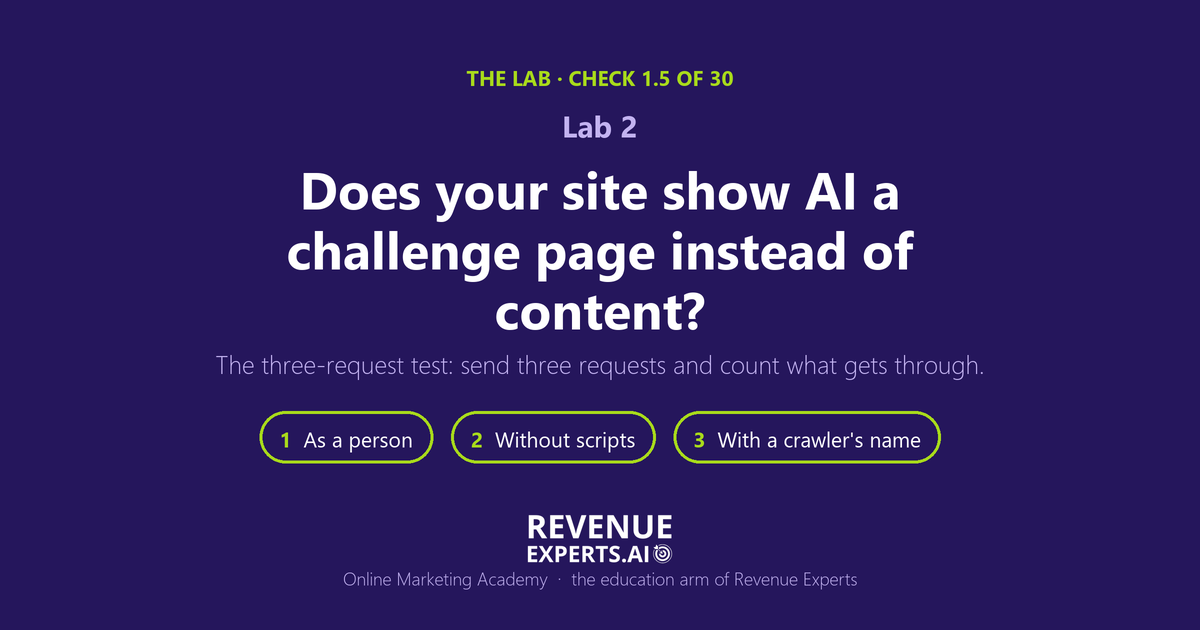
Short answer. Many websites put a security check in front of their pages. A person passes it in a second and never notices. An AI crawler cannot pass it, because it does not run the script the check needs, so it receives a page that says “Just a moment…” instead of your content. That happens even when your robots.txt file invites the crawler in. This Lab shows you how to send three requests from your own browser, each one a step closer to the way a crawler asks, and come out with one number: how many of the three reached your real page, out of 3.
Subscribe to The Revenue Signal for one short, practical email a week on what changed in AI search and what to do about it:
The scene
Imagine the head of marketing at a 300-person distributor. Last month she ran the robots.txt check from Lab 1 and scored 7 of 7. The file is open to every AI search crawler, the worksheet is dated and filed, and the web team agrees: “Nothing is blocked.”
What none of them remembers is a Tuesday in the spring when spam form submissions flooded the contact page. Someone at the hosting company switched on bot protection for the whole site. The spam stopped. Since that day, every visitor meets a short check before the page loads. People see a spinner for a second, or nothing at all. A crawler that asks for the product page gets the check page and nothing else, and leaves.
Nobody did anything wrong. The setting did its job against spam. It just did it to everyone, and robots.txt has no way to overrule it.
What is a challenge page?
A challenge page is what a security service shows when it is not sure a visitor is a real person. The service sits in front of your website: Cloudflare, Akamai, Imperva, DataDome, Sucuri, your hosting company’s own firewall, or a WordPress security plugin [1]. Instead of your page it sends back a small page of its own that says “Just a moment…”, “Checking your browser”, “Verify you are human” or “Access denied”, sometimes with a checkbox or a puzzle [1]. A browser runs the script on that page and is let through. A crawler cannot run the script, so it stays on the check page forever [1].
The answer often carries an error status such as 403, 429 or 503, though some challenge pages arrive with a normal 200 [1]. Cloudflare also stamps every challenged answer with a header named cf-mitigated, set to the value challenge [2]. You will look for both in a minute.
Why an open robots.txt is not enough
robots.txt says what you intend to allow. The security service decides what actually happens when a crawler knocks. A permissive robots.txt and a firewall that refuses every non-browser request add up to zero access [1]. The crawler companies say the same in their own documentation: OpenAI asks site owners to allow OAI-SearchBot in robots.txt and to permit its published IP addresses, and Perplexity tells sites with a firewall that they may need to allow its crawlers explicitly, or the crawlers may not reach the content [3][4].
The numbers from published research
Crawl Readiness tested the home pages of the top 1,000 websites in one pass on 12 October 2026. Of the 549 home pages that loaded normally for a browser, 78 turned away at least one of four AI crawlers while their own robots.txt allowed it. 64 of those refused outright with a 401, 403 or 503; the other 14 answered only with 429, which can be a rate limit. For OAI-SearchBot alone, the crawler behind ChatGPT search, 44 sites allowed it in robots.txt and refused it at the door [5].
Our own retail security study, published 13 October 2026, ran into the same door. On 26 and 27 September the studied company’s home page, solutions page, contact page and robots.txt returned a Cloudflare challenge (HTTP 403) to every automated request from our network. On 9 October the same pages loaded normally [6]. The study says plainly that the cause was not determined and may have been geographic, and that the assistants still cited the site 20 times during the run, so the challenge did not prove the crawlers were blocked [6]. Keep that in mind for the honest limit at the end of this Lab.
The three-request test: 15 minutes
You need Google Chrome on a computer and the worksheet at the end of this post. No login, nothing to install, no developer. Pick two addresses before you start: your home page, and one page your buyers land on, such as a product, service or pricing page.
The idea is simple. Each request adds one thing that makes your browser look more like a crawler. If a request fails, the thing you just added is what the security service reacts to.
| Request | What changes | What it imitates |
|---|---|---|
| 1. As a person | Nothing. A normal private window. | A human visitor |
| 2. Without scripts | JavaScript switched off | A crawler that does not run the challenge script |
| 3. With a crawler’s name | JavaScript off, and the browser introduces itself as OAI-SearchBot | ChatGPT’s search crawler, by name only |
Table 1. The three requests, each one step closer to a crawler.
Set up (2 minutes)
Open a private window. In Chrome, open More (the three-dot menu) > New Incognito window, or press Ctrl+Shift+N (Cmd+Shift+N on a Mac) [11]. A private window carries no cookies from earlier visits, so a check you passed yesterday cannot hide today’s.
Open the Network panel. Press Ctrl+Shift+J (Cmd+Option+J on a Mac) to open DevTools, then click the Network tab [7]. Leave it open for the whole test.
Request 1: as a person
Load the page. Type your home page address and press Enter. Watch the page itself: did your own words appear, or a check page first?
Read the status. In the Network list, find the first row, the page itself. The Status column shows the HTTP response code [7]. Write it on the worksheet.
Read the headers. Click that row and open the Headers tab [7]. In the response headers, look for cf-mitigated and for the line named server. Write down what you find. server: cloudflare tells you Cloudflare sits in front of the site; cf-mitigated: challenge tells you Cloudflare challenged this request [1][2].
Request 2: without scripts
Switch JavaScript off. Press Ctrl+Shift+P (Cmd+Shift+P on a Mac) to open the Command Menu, type javascript, select Disable JavaScript and press Enter [8]. Chrome shows a Disabled JavaScript icon in the address bar. It stays off only while DevTools is open [8].
Reload and read. Reload the page. Write the status and the headers again, and what the page says. Your own text, even without its usual styling, is a pass. “Just a moment…”, “Enable JavaScript and cookies to continue”, a checkbox or a puzzle is a challenge [1].
Request 3: with a crawler’s name
Change the user agent. Keep JavaScript off. Open the Command Menu again, type Network conditions, select Show Network conditions and press Enter. In the User agent section, untick Use browser default and paste this string into the box [9]: Mozilla/5.0 (compatible; OAI-SearchBot/1.4; +https://openai.com/searchbot). The name and address come from OpenAI’s own crawler page [3].
Reload and read. Reload the page and write down the status, the headers and what the page says, as before.
Repeat on the second address. Run requests 1 to 3 again on your product, service or pricing page. Then close the private window; closing it closes DevTools and ends the test settings.
Your number. For each address, count the requests that came back with a status from 200 to 299, no cf-mitigated header and your own content. Write it as “N of 3” and date it. These are the same three signals LLM Audit Pro reads for check 1.5: the status code, the security headers and the page text [1].
What a good result looks like
3 of 3 on both addresses. The door is open to people, to visitors that do not run scripts, and to a visitor that calls itself a crawler. Keep the dated worksheet.
The same status on all three requests. If request 1 shows 200 and request 3 shows 403, the site treats crawlers differently from people, even when every page looks fine to you.
No cf-mitigated header on any request. Its presence means Cloudflare stepped in [2].
The wrong reading to avoid. “I opened the site and it loaded, so crawlers can read it.” Request 1 nearly always looks fine. That is exactly why a challenge can sit in front of a site for months without anyone noticing.
How to read a mixed result
| What you saw | What it most likely means | What to do first |
|---|---|---|
| Request 1 fails | The whole site is behind a check, for example an emergency “under attack” setting, or your own network is blocked | Try from a phone on mobile data; if it still fails, go to the fixes below |
| 1 passes, 2 shows a challenge | The check asks every visitor to run a script. No crawler can pass it | Fix this first. It stops every crawler, whatever robots.txt says |
| 1 and 2 pass, 3 fails | The security service reacts to the crawler’s name. It may block bots on purpose, or it may be correctly refusing a request that uses OpenAI’s name without OpenAI’s addresses | Ask whoever runs the security service whether verified search crawlers are allowed |
| 2 shows status 200 but little or no text, and no challenge message | Not a challenge. The page builds its text with scripts | A different check (1.4, raw content); write it down for later |
Table 2. Reading the three requests together.
What to do if the number is below 3
Name the layer. The response headers usually tell you who answered: server: cloudflare or cf-ray means Cloudflare; x-sucuri-id means Sucuri; x-datadome means DataDome; x-iinfo means Imperva; cookies named _abck or ak_bmsc mean Akamai; a check page that mentions Wordfence is a WordPress security plugin [1].
Ask for one narrow change. Send whoever manages that service one sentence: “Please allow verified search crawlers on our public pages, and keep challenges on login, checkout and forms only.” Attach the seven crawler names from Lab 1 and the published IP lists of OpenAI (https://openai.com/searchbot.json) and Perplexity (https://www.perplexity.ai/perplexitybot.json) [3][4].
On Cloudflare, review these settings in order. Security level and “I’m Under Attack” mode; Bot Fight Mode or Super Bot Fight Mode, with “Allow verified bots” where your plan offers it; the AI crawler controls, which can block search crawlers as well as training crawlers; and WAF custom rules whose action is Managed Challenge, JS Challenge or Interactive Challenge on broad conditions [1]. These are the names as documented in October 2026; Cloudflare renames and moves settings, so if a path does not match, search the dashboard for the setting name [1].
Know what you keep. Allowing verified bots does not switch off protection against real attacks [1]. Cloudflare decides that a bot is verified by a cryptographic signature, a published IP list or reverse DNS, not by the name it gives [10], so an impostor using a crawler’s name still meets the check.
Run the three requests again. Firewall changes can take time to take effect [4]. Date the second worksheet next to the first.
The honest limit
Your browser is not a crawler. Request 3 borrows OAI-SearchBot’s name, not its address. A security service that checks addresses may challenge you and still let the real OAI-SearchBot through; Crawl Readiness names the same limit for its own study [5]. Firewalls can also answer differently by country and by day: our retail security study met a challenge on two days that was gone two weeks later, and the assistants still cited that site 20 times [6].
So read the number this way. 3 of 3 is good evidence the door is open. A challenge on request 2 is the strong signal, because it stops every visitor that cannot run scripts. A failure on request 3 alone is a question for your security team, not a verdict. Only the security service’s own event log shows what the real crawlers met; on Cloudflare it names the rule that fired [1].
Where this fits
This is check 1.5 of the 30 checks in LLM Audit Pro, challenge interference, in the category Retrieval Eligibility and Access. It is worth 3 of 100 points, but it weighs more than its points: when a challenge is found, the scanner cannot read the real page behind it, so most of the checks that depend on your content are marked Blocked [1]. The $55 report runs all 30 checks on a page of your site and shows what to fix, this check included
If your team should own this work rather than rent it, crawler access is taught in the AI Search Visibility Mastery course (40 lessons, $97): https://onlinemarketingacademy.ai/courses/
Download the one-page worksheet: download the worksheet (PDF)
Subscribe to The Revenue Signal for one practical email a week
Next in the Lab: the 12 questions your buyers ask AI about your category, with a worksheet to write your own.
P.S. If someone switched on bot protection after a spam attack and nobody wrote it down, you are not alone. The setting did its job. This Lab is how you find out whether it is still doing it to the visitors you want.
Frequently asked questions
Do I have to switch the protection off? No. The change is narrow: stop challenging known, verified crawlers on public pages, and keep the checks on login, checkout and forms [1].
Do I need a developer to run the test? No. The test uses only Chrome. The fix belongs to whoever manages the security service or the hosting.
My site loads fine for me. Why does LLM Audit Pro show many checks as Blocked? Because the scanner asked the way a crawler does and received the challenge page, so it could not read the page behind it [1]. Request 2 or 3 of this test usually shows the same thing.
How is this different from Lab 1? Lab 1 reads the instructions in robots.txt. This Lab checks whether the door those instructions describe actually opens.
If we remove the challenge, will ChatGPT name us? We cannot promise that, and nobody honestly can. Removing a challenge lets crawlers read your pages; what the assistants then say is a different measurement, which we make with saved answers in our citation research.
Related
- The Lab: one AI-search check a week
- The Desk: turn your documents into answers you can trust
- The AI Visibility Prompt Playbook
- See what AI says about your category: book 20 minutes about an AI citation audit
Sources
[1] LLM Audit Pro Fix-It Manual, October 2026, check 1.5 challenge interference (points 24 to 26) and check 1.3 sub-component B (points 16 and 17) (Revenue Experts; the public scan page is https://llmauditpro.com).
[2] Cloudflare, Detect a Challenge Page response (last updated 5 May 2026), https://developers.cloudflare.com/cloudflare-challenges/challenge-types/challenge-pages/detect-response/, opened 3 Nov 2026.
[3] OpenAI, Overview of OpenAI Crawlers, https://developers.openai.com/api/docs/bots, opened 3 Nov 2026.
[4] Perplexity, Perplexity Crawlers, https://docs.perplexity.ai/docs/resources/perplexity-crawlers, opened 3 Nov 2026.
[5] Crawl Readiness, AI crawler access across the top 1,000 websites (October 2026), one pass on 12 Oct 2026, home pages only, https://www.crawlreadiness.com/research/ai-crawler-access-october-2026, opened 3 Nov 2026.
[6] Revenue Experts, We asked ChatGPT, Claude and Perplexity which retail EAS and RFID vendors to buy (13 Oct 2026), site access note, https://revenueexperts.ai/ai-assistants-retail-eas-rfid-vendors-citation-study/, opened 3 Nov 2026.
[7] Chrome for Developers, Inspect network activity, https://developer.chrome.com/docs/devtools/network, opened 3 Nov 2026.
[8] Chrome for Developers, Disable JavaScript, https://developer.chrome.com/docs/devtools/javascript/disable, opened 3 Nov 2026.
[9] Chrome for Developers, Network conditions: Override the user agent string, https://developer.chrome.com/docs/devtools/device-mode/override-user-agent, opened 3 Nov 2026.
[10] Cloudflare, Verified bots (last updated 2 Nov 2026), https://developers.cloudflare.com/bots/concepts/bot/verified-bots/, opened 3 Nov 2026.
[11] Google Chrome Help, Browse in Incognito mode, https://support.google.com/chrome/answer/95464, opened 3 Nov 2026.
Worksheet: the three-request challenge test
Site checked: ______________________ Date: ____________ Checked by: ______________________
| Address | Request | Status | cf-mitigated? (yes/no) | server header | What the page showed | Reached content? (yes/no) |
|---|---|---|---|---|---|---|
| Home page | 1. As a person | |||||
| 2. Without scripts | ||||||
| 3. Crawler’s name | ||||||
| Buyer page: ______ | 1. As a person | |||||
| 2. Without scripts | ||||||
| 3. Crawler’s name |
Your number: home page ______ of 3, buyer page ______ of 3.
If below 3, layer named in the headers: ______________ Who owns the fix: ______________ Fix made on: ____________ Re-checked on: ____________
From Lab 2 at onlinemarketingacademy.ai. Check 1.5 of the 30 LLM Audit Pro checks.